
Seven common errors when using smart ovens include skipping setup, ignoring software updates, poor connectivity, improper cleaning, underusing features, over-relying on presets, and neglecting core cooking knowledge. These mistakes can prevent the oven from functioning correctly, limit its advanced capabilities, and lead to suboptimal cooking results. Proper attention to initial configuration, maintenance, and balanced use ensures the appliance operates at its full potential and reliably enhances kitchen tasks.
Smart ovens can be super helpful, but sometimes they can feel a little tricky when you first get one. It’s easy to get confused by all the settings or not know the best ways to use them. Don’t worry, though!
We’re going to break down the 7 Mistakes People Make with Smart Ovens. You’ll learn how to avoid these common slip-ups and get the most out of your new kitchen helper. Get ready for some simple tips that will make cooking with your smart oven a breeze.
Key Takeaways
- You will learn about common setup errors with smart ovens.
- Discover why ignoring software updates can cause problems.
- Understand how incorrect connectivity can hinder oven use.
- Learn to avoid improper cleaning methods that can damage smart ovens.
- Find out why not exploring all features limits your oven’s potential.
- See how over-reliance on pre-sets can be a mistake.
Understanding Smart Oven Basics
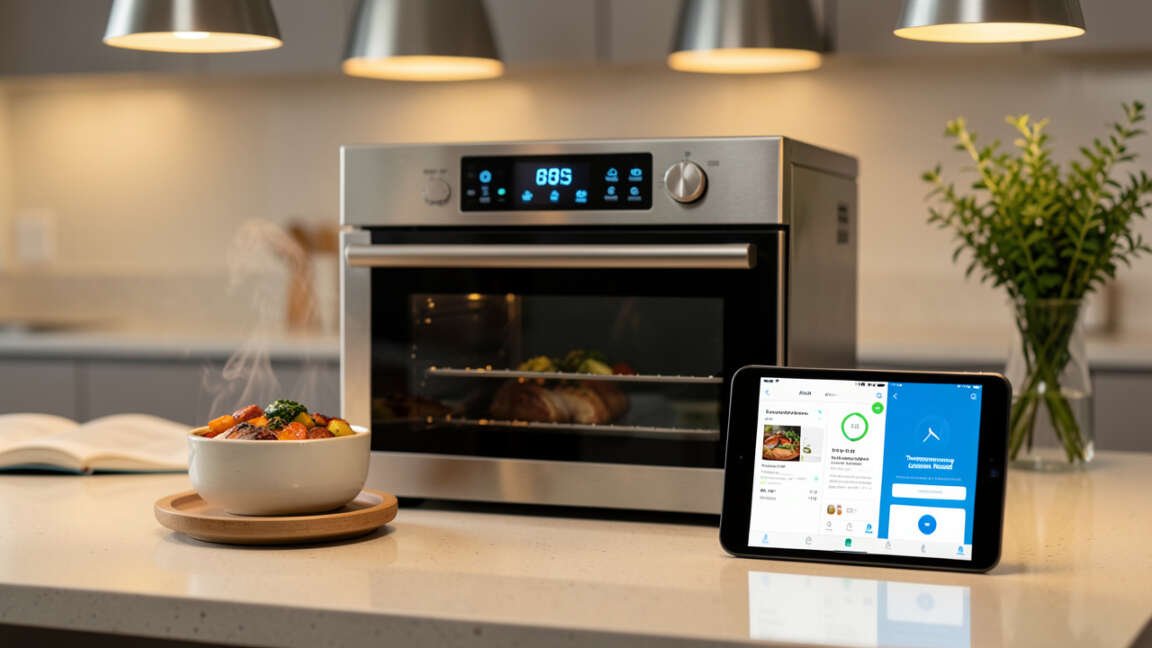
Smart ovens are amazing kitchen tools that can connect to your home Wi-Fi. This connection lets you control them from your phone or tablet. You can preheat your oven, set timers, and even get cooking tips right on your device.
They often come with fancy touch screens and lots of special cooking modes. This makes them more than just a box that gets hot; they can actually help you cook better.
Mistake 1: Skipping Initial Setup Steps
When you unbox a new smart oven, there’s a setup process. Many people rush through this part. They just want to start cooking.
However, this initial setup is really important. It connects your oven to your home network and sets up important features. Skipping steps can mean you won’t be able to use the app properly.
It might also stop some of the oven’s smart functions from working.
This setup usually involves downloading an app on your phone or tablet. You then connect the oven to your Wi-Fi. It’s like introducing your oven to your internet.
If this isn’t done right, your oven might not talk to your phone. You could miss out on remote control or important notifications.
Mistake 2: Ignoring Software Updates
Just like your phone or computer, smart ovens get software updates. These updates are not just random. They often add new features.
They also fix bugs that might be causing problems. Some updates improve the oven’s performance. Others make it safer to use.
Not updating your smart oven’s software is a common mistake. It’s like driving a car without getting oil changes. Eventually, things might not run as smoothly.
You might also miss out on cool new ways to use your oven. Always check for updates in the oven’s settings or the connected app.
Mistake 3: Poor Wi-Fi Connectivity
Smart ovens rely on a stable Wi-Fi connection. If your Wi-Fi signal is weak in the kitchen, your oven might struggle. This can lead to it disconnecting often.
You might find the app is slow to respond, or commands don’t go through.
Before you even get your smart oven, think about your Wi-Fi. Is it strong enough in the kitchen? If not, you might need a Wi-Fi extender or a mesh system.
A good connection means your oven will always be ready when you need it. It makes using all the smart features a much better experience.
Mistake 4: Incorrect Cleaning and Maintenance
Smart ovens have delicate electronic parts and touch screens. Cleaning them the wrong way can cause damage. Using harsh chemicals or abrasive cloths can scratch the screen.
It can also damage the control panel.
Always check your oven’s manual for cleaning instructions. Most smart ovens recommend using a soft, damp cloth for the exterior and screen. For the inside, use cleaners specifically made for ovens.
Never spray cleaning solutions directly onto the control panel or electronic parts. Gentle cleaning keeps your oven looking good and working well for years.
Mistake 5: Not Exploring All Features
Smart ovens come with a lot of cool features. There are often many preset cooking modes for different foods. Some can even scan barcodes on food packages to suggest cooking settings.
People often stick to just a few basic functions they know.
This is a big mistake because you’re not using the full power of your oven. Take some time to look through the oven’s menu and the app. Try out the different cooking modes.
See what the probe can do. Learning these extra features can make cooking easier and give you better results. You might find new favorite ways to cook.
Mistake 6: Over-Reliance on Pre-set Modes
While pre-set modes are handy, they are not always perfect for every situation. Every oven can vary a little. The size or thickness of your food can also change how it cooks.
Relying only on pre-sets might mean your food doesn’t cook exactly how you want it to.
Use pre-sets as a starting point. Then, use your own judgment. Check your food as it cooks.
You might need to adjust the time or temperature slightly. This helps you learn how your oven cooks. It also helps you get food cooked just right, every time.
It’s good to know your oven’s quirks.
Mistake 7: Neglecting Basic Cooking Skills
A smart oven is a tool, but it can’t replace good cooking knowledge. If you don’t know the basics of how food cooks, even a smart oven can’t fix everything. For example, if you put too much salt in something, the oven won’t know to take it out.
The best cooks learn how their ingredients behave. They learn about heat and texture. A smart oven can help you with timing and temperature, but you still need to know the fundamentals.
Keep learning about cooking. Your smart oven will then become an even more powerful ally in the kitchen.
Frequently Asked Questions
Question: How do I connect my smart oven to Wi-Fi?
Answer: Most smart ovens require you to download a specific app on your smartphone or tablet. Open the app, and follow the on-screen instructions to search for your oven and connect it to your home Wi-Fi network. You’ll usually need your Wi-Fi password.
Question: Can I use my smart oven if the Wi-Fi is down?
Answer: Yes, you can usually still use your smart oven manually. The smart features, like app control and remote preheating, will not work until your Wi-Fi connection is restored. The basic cooking functions should remain operational.
Question: What kind of cleaning supplies should I use for my smart oven’s screen?
Answer: Use a soft, damp cloth, like a microfiber cloth. Avoid abrasive materials or harsh chemicals. For stubborn marks, a little mild dish soap on the cloth can help, but always wipe it clean with a plain damp cloth afterward.
Question: How often should I update my smart oven’s software?
Answer: It’s best to enable automatic updates if your oven offers them. If not, check for updates periodically through the oven’s settings menu or the companion app at least once every few months. This ensures you have the latest features and security fixes.
Question: What if a pre-set cooking mode doesn’t cook my food correctly?
Answer: Smart oven pre-sets are a guide. Food thickness, density, and even oven temperature variations can affect cooking. It’s always a good idea to check your food periodically during the cooking cycle and adjust time or temperature as needed based on how it looks.
Final Thoughts
Learning to use your smart oven is all about avoiding a few common traps. By paying attention during setup, keeping the software fresh, and ensuring good Wi-Fi, you’re on the right track. Gentle cleaning and exploring all the features will make your oven work even better for you.
Remember that pre-sets are helpful starting points, and your own cooking know-how is key. Use these tips to make your smart oven a true kitchen assistant.

![7 Mistakes To Avoid When Making Crepes[1]](https://creativehouseblog.com/wp-content/uploads/2026/04/7_Mistakes_To_Avoid_When_Making_Crepes1-768x448.jpg)
![8 Fruits & Vegetables That Work Best For Juicing[1]](https://creativehouseblog.com/wp-content/uploads/2026/04/8_Fruits__Vegetables_That_Work_Best_For_Juicing1-768x448.jpg)
![7 Sous Vide Mistakes Beginners Should Avoid[1]](https://creativehouseblog.com/wp-content/uploads/2026/04/7_Sous_Vide_Mistakes_Beginners_Should_Avoid1-768x448.jpg)
![10 Tips To Get Perfect Crispy Pizza At Home[1]](https://creativehouseblog.com/wp-content/uploads/2026/04/10_Tips_To_Get_Perfect_Crispy_Pizza_At_Home1-768x448.jpg)
![6 Reasons Your Garbage Disposal Is Smelling Bad[1]](https://creativehouseblog.com/wp-content/uploads/2026/04/6_Reasons_Your_Garbage_Disposal_Is_Smelling_Bad1-768x448.jpg)
![How to Test and Reset a Tripped Circuit Breaker Safely[1]](https://creativehouseblog.com/wp-content/uploads/2026/05/How_to_Test_and_Reset_a_Tripped_Circuit_Breaker_Safely1-768x403.jpg)